第一个博客,以后的都会记录在此.

Install ruby.
Clone jekyll theme
- 需要将项目clone下本地
下载主题,这里是一个下载主题的地址
$ git clone https://github.com/Simpleyyt/jekyll-theme-next.git
$ cd jekyll-theme-next
安装Bundler
$ gem install bundler安装依赖
$ bundle install
Create new repository in github
-
需要在github上创建一个仓库
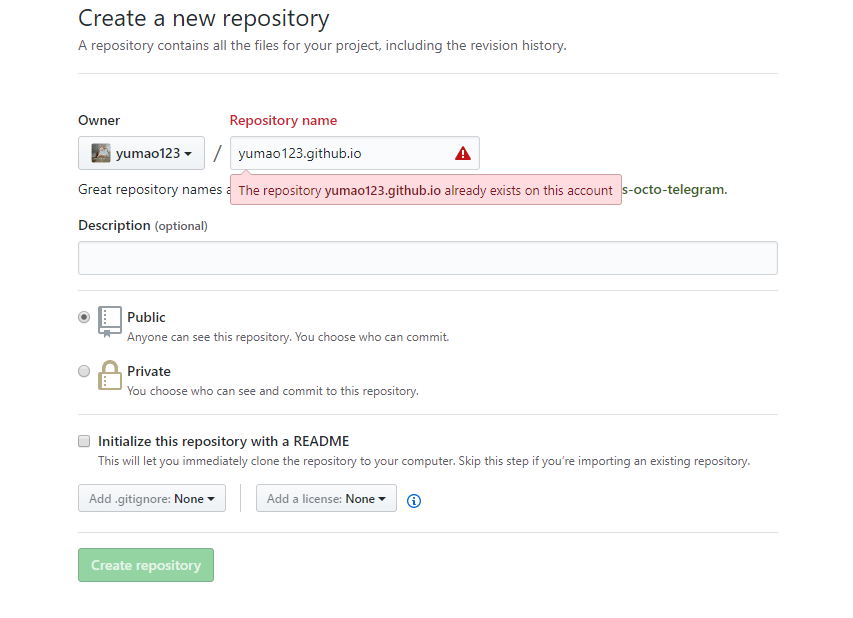 注:仓库名前缀需要和账号一致
 -
将下载的项目提交至仓库
$ git add .
$ git commit -m "first commit"
$ git remote -v # 由于clone下来的项目,所以需要将提交的地址修改
$ git remote set-url origin https://github.com/[你的账号]/[仓库名]
$ git remote -v # 确认一下
$ git push -u origin master-
Happy Ending 此时登陆https://[仓库名] eg:https://yumao123.github.io
-
提交博客&修改配置 可参考: 关于theme-next & 关于jekyll